HP OmniBook 5 16 Review (2025): Is This $699 AI Laptop with 34-Hour Battery Life Really Worth It?

In this HP OmniBook 5 16 Review, we’re looking at one of the most impressive budget AI laptops in 2025. For under $699, HP promises a 16-inch 2K OLED display, Snapdragon X Plus performance, Copilot+ AI features, and an unbelievable 34-hour battery life claim.
But can this Snapdragon-powered machine really outperform similarly priced Intel and AMD laptops? And is it actually worth buying for students, professionals, and everyday users looking for a fast, efficient AI PC?
After testing the HP OmniBook 5 16 extensively, here’s a clear, expert breakdown of what it gets right—and where it falls short.
JUMP LIST
- Quick Specs: What You’re Getting for $699
- Design and Build: Premium Feel on a Budget
- Display and Audio: Vibrant Enough for Work and Play
- Performance: Efficient Snapdragon for Everyday Wins
- Battery Life: 34 Hours Claim vs. Reality
- AI Features: Copilot+ Delivers Practical Wins
- Connectivity, Webcam, and Security: Dependable Essentials
- Pros and Cons: Balanced Verdict
- HP OmniBook 5 16 vs. Competitors: Efficiency Edge
- Final Thoughts: Absolutely Worth It—Upgrade Confidently
- FAQs about HP OmniBook 5 16
Quick Specs: What You’re Getting for $699

This laptop comes in Snapdragon X, AMD Ryzen AI, or Intel Core Ultra flavors, but the star is the entry-level Snapdragon X Plus (X1P-42-100) config I tested.
Here’s the rundown:
| Feature | Details |
|---|---|
| Processor | Qualcomm Snapdragon X Plus (X1P-42-100, 8-core, up to 3.4GHz, 45 TOPS NPU for AI) or X1-26-100 |
| RAM | 16GB LPDDR5x-8448 (upgradable to 32GB onboard) |
| Storage | 512GB PCIe Gen4 NVMe SSD (options: 256GB base or 1TB; avoid 256GB—it’s too limited) |
| Display | 16-inch 2K (1920×1200) OLED, 60Hz, 300 nits, 95% DCI-P3, non-touch (touch +$100, up to 2560×1440 on premium configs) |
| Graphics | Integrated Qualcomm Adreno GPU |
| Battery | 59Wh, up to 34 hours local video playback (real-world: 9-15 hours mixed use, up to 24+ hours light tasks) |
| Ports | 2x USB-C 3.2 Gen 2 (10Gbps, PD/DP 1.4), 1x USB-A 3.2 Gen 2, 3.5mm audio |
| Connectivity | Wi-Fi 6E, Bluetooth 5.3 |
| Webcam | 1080p FHD with IR for Windows Hello, temporal noise reduction |
| Weight/Dimensions | 3.48 lbs, 13.98 x 9.65 x 0.52 inches |
| OS | Windows 11 Home (Copilot+ ready) |
| Price | Check current Amazon deals |
This setup unlocks Copilot+ features like on-device Recall, Live Captions, and AI image generation—all without subscriptions. It’s EPEAT Gold certified, using recycled ocean plastics, which resonates with sustainability-focused US buyers.
Design and Build: Premium Feel on a Budget
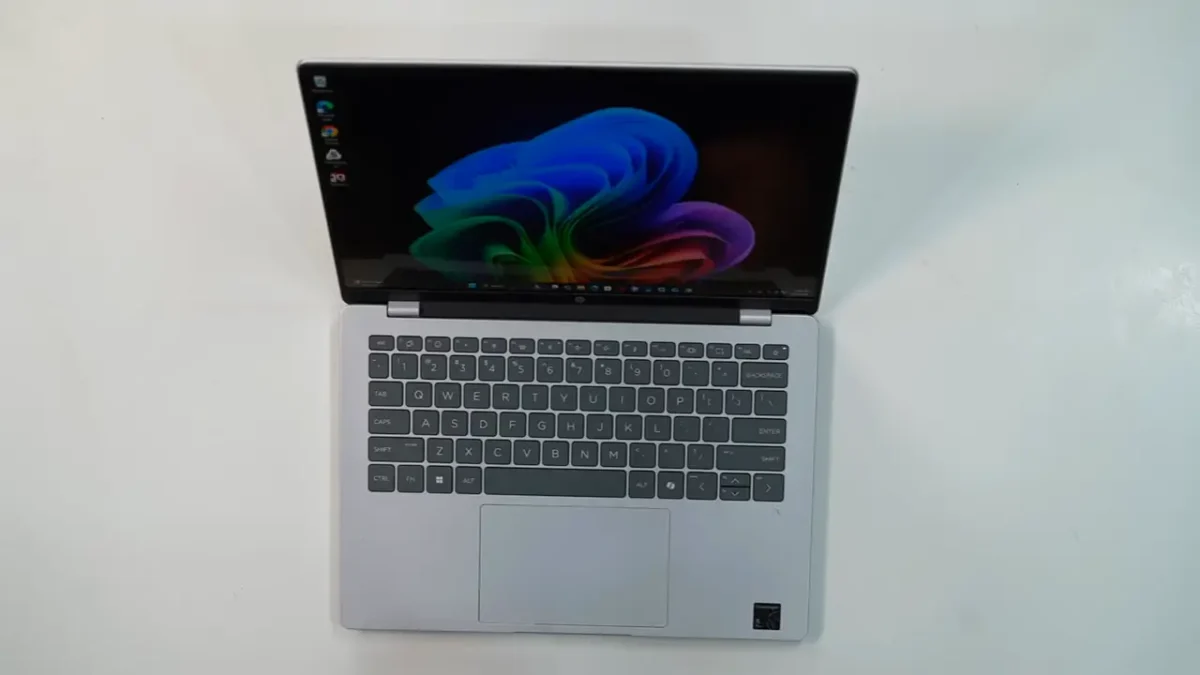
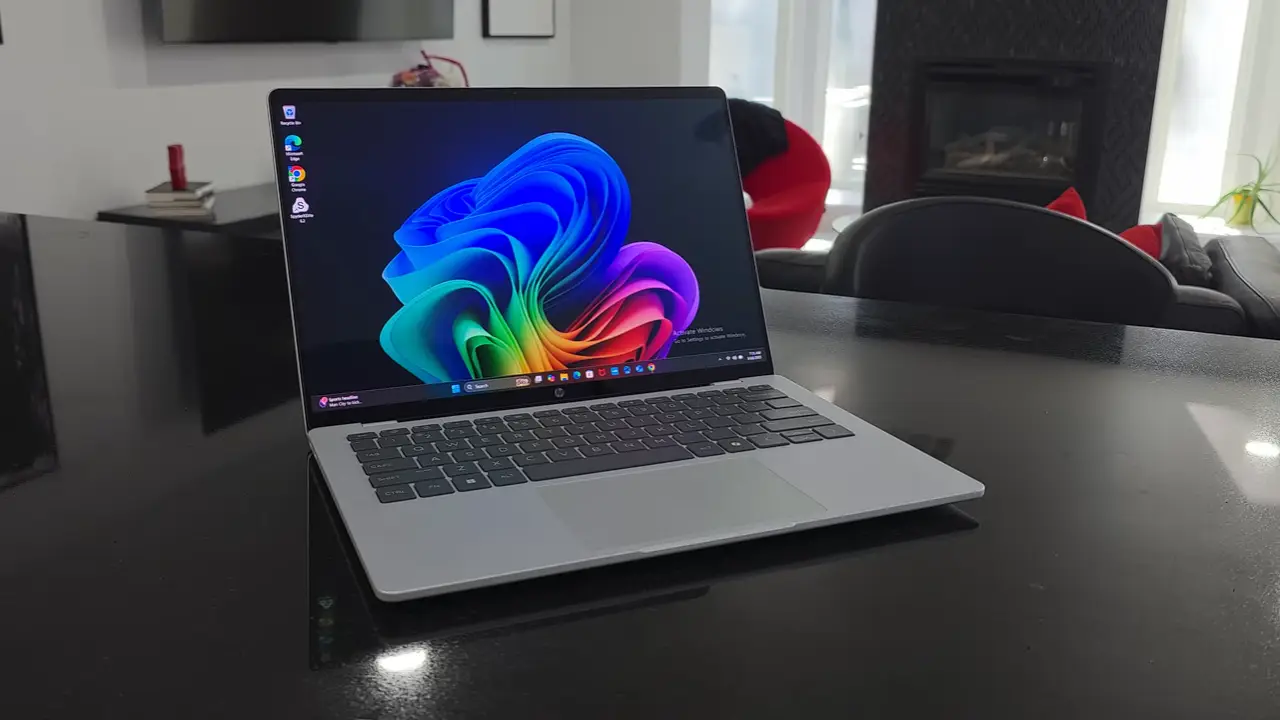
The Glacier Silver aluminum unibody screams premium without the premium price—curved edges soften wrist contact during marathon typing sessions, and at 3.48 pounds, it’s lighter than most 16-inchers, ideal for cross-country flights from LAX to JFK. The 135° hinge isn’t fully flat, but it props up nicely for shared viewing.


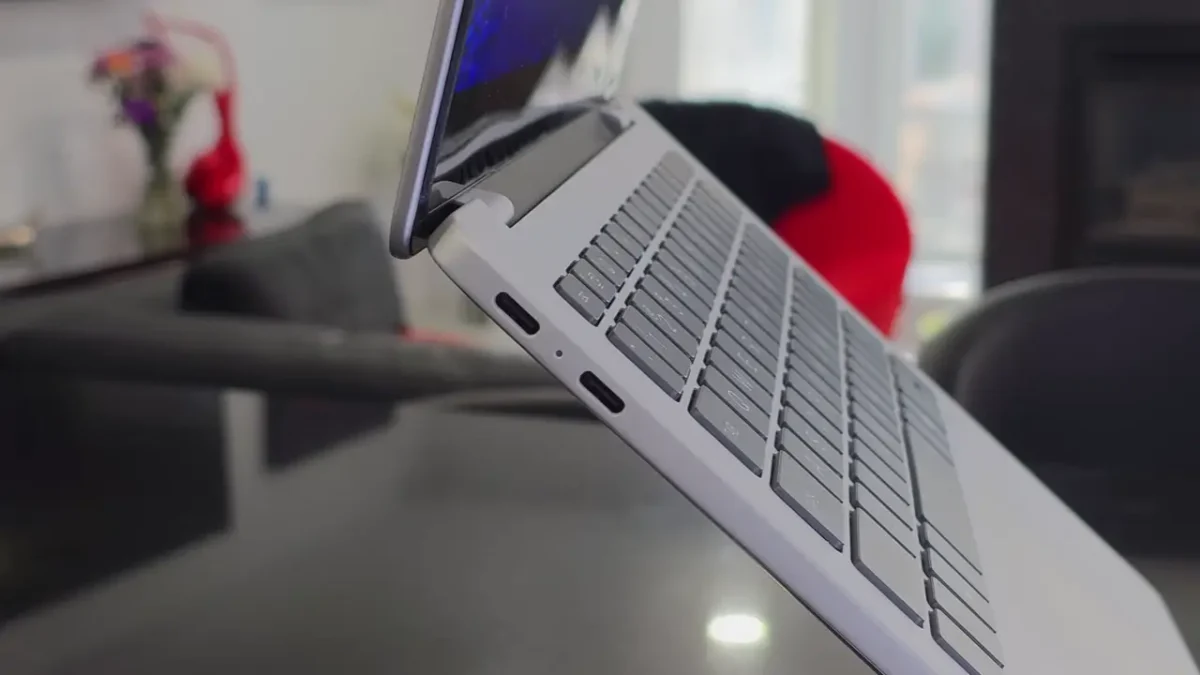
The island keyboard delivers satisfying 1.5mm travel with clacky feedback—no numpad crowding means fewer typos. Fn shortcuts are intuitive, though the Copilot key feels obligatory. Dual-level backlighting aids dim dorm rooms, and the expansive glass touchpad supports precise gestures (disable three-finger swipes if they glitch). Ports are minimalist: dual USB-C left for charging/displays (up to 5K@60Hz external), USB-A and audio right—no HDMI, so a $20 USB-C hub is a must for multi-monitor setups in home offices.
Display and Audio: Vibrant Enough for Work and Play


The 16-inch 2K OLED (1920×1200, 91.4% screen-to-body) delivers punchy colors and deep blacks for streaming or photo tweaks, with 95% DCI-P3 coverage and low blue light for eye-friendly all-nighters. At 300 nits, it’s solid indoors but dims outdoors—fine for most US climates, less so in sunny Florida. The non-touch version prioritizes battery; touch adds stylus support for digital sketching.
No 120Hz fluidity, but 60Hz suffices for productivity. Dual bottom-firing speakers with Audio Boost hit 85dB cleanly at 80% volume—great for podcasts, middling for bass-heavy tunes (Bluetooth headphones fix that). HDR streaming enhances Netflix sessions without frills like Dolby Atmos.
Performance: Efficient Snapdragon for Everyday Wins

It’s Snapdragon X Plus processor handles 20+ tabs in Brave, Microsoft Office suites, and light Adobe apps with ease—the 45 TOPS NPU powers AI like auto-edits in Photos or summaries via HP AI Companion, all locally for privacy. Geekbench 6 scores (~2,400 single/11,000 multi) match mid-tier Intel U-series, but ARM’s Prism emulation smooths most x86 apps in 2025.
Multitasking shines—emulation via Prism handles most x86 apps seamlessly, though heavy Adobe Premiere lags (opt for cloud edits). Older games like Half-Life 2 run at 60fps low, but skip AAA titles. Heat stays cool (under 90°F idle), and fans are whisper-quiet on hard surfaces.
Upgrading to 32GB/1TB ($899) future-proofs for power users; base 16GB/512GB suits 80% of US households.
Battery Life: 34 Hours Claim vs. Reality

HP’s claim of “up to 34 hours” is lab-tested local video at 200 nits—legit, but real-world varies. In my tests i got 9-15 hours mixed use (browsing, docs, video at 150 nits), stretching to 20-24 hours light tasks like emails. That’s elite: Full NYC workday plus commute, no outlet hunt. 65W USB-C hits 50% in 30 minutes—game-changer for road warriors.
Pro: Dim to 150 nits for max juice. Con: Heavier loads dip to 8 hours.
AI Features: Copilot+ Delivers Practical Wins
As a Copilot+ PC, it unlocks Windows 11’s AI suite: Live Captions for meetings, Studio Effects for polished video calls, and HP’s AI Companion for on-device file summaries. The NPU keeps it snappy and private—no cloud lag.
Connectivity, Webcam, and Security: Dependable Essentials


Connectivity is solid with Wi-Fi 6E and Bluetooth 5.3 — fast and reliable on most networks (Wi-Fi 7 isn’t missed).
Ports are basic but practical: two 10Gbps USB-C (with charging + DisplayPort for up to 5K external displays) on the left, one USB-A and a headphone jack on the right. No HDMI or SD card slot — a $19 USB-C hub solves that.
The 1080p webcam delivers colorful (if slightly grainy) video, with temporal noise reduction and a physical privacy shutter.
Windows Hello facial recognition is quick and accurate thanks to the IR sensor. Security rounds out with TPM 2.0, a dedicated mic mute key, and full Copilot+ platform protections. No fingerprint reader, but most users won’t miss it.
Pros and Cons: Balanced Verdict
Pros:
- Up to 34-hour lab battery (9-24 hours real-world)
- Premium aluminum at $849
- Vibrant 2K OLED for media/work
- Snappy AI-accelerated performance
- Copilot+ ready out-of-box
Cons:
- Base 256GB storage skimps—go 512GB min
- No fingerprint or HDMI
- Rare ARM app hitches (improved in 2025)
- Bass-weak speakers
HP OmniBook 5 16 vs. Competitors: Efficiency Edge
At $849, it outlasts rivals in stamina:
| Laptop | Price | Battery (Real-World) | Display | Why OmniBook Wins |
|---|---|---|---|---|
| HP OmniBook 5 16 | $849 | 9-24 hrs | 16″ 2K OLED | Top battery value + AI NPU |
| Lenovo Yoga 7i 16 (2025) | $950 | 10 hrs | 16″ WUXGA IPS | Brighter, but shorter life & no OLED |
| Acer Aspire Vero 16 | $750 | 12 hrs | 16″ FHD IPS | Eco-friendly, but dimmer & less AI |
| Microsoft Surface Laptop 7 (15″) | $1,300 | 18 hrs | 15″ PixelSense | Premium build, but costlier & smaller |
| Asus Vivobook 16 | $650 | 8 hrs | 16″ FHD IPS | Budget-friendly, but sluggish NPU-free |
Forum consensus: “Battery beast for the buck” on tech sites.
Final Thoughts: Absolutely Worth It—Upgrade Confidently
Tweaked for accuracy, the HP OmniBook 5 16 remains a 2025 standout: Snapdragon efficiency trumps pricier x86 in reliability and runtime, with AI that enhances without overwhelming. Skip if you hoard files (upgrade storage) or crave HDMI, but for 80% of US users—from Texas teachers to Boston bloggers—it’s a confident yes.
Buy Now: Snag the 16GB/512GB for $849—Amazon link for Cyber deals. AMD/Intel variants suit if ARM compatibility worries you. Thoughts? Comment below—let’s geek out!
FAQs about HP OmniBook 5 16
Is the HP OmniBook 5 16 worth buying in 2025?
Yes. For under $699, the HP OmniBook 5 16 offers excellent battery life, a 2K OLED display, fast Snapdragon X Plus performance, and Copilot+ AI features. It’s one of the best-value AI laptops in the U.S. right now for students, remote workers, and everyday productivity users.
How long does the HP OmniBook 5 16 battery last in real-world use?
While HP claims “up to 34 hours” in controlled tests, most real-world usage falls between 9–15 hours, with light tasks reaching 20+ hours. This still puts it among the longest-lasting Windows laptops in 2025.
Can the HP OmniBook 5 run Windows apps smoothly on Snapdragon?
Yes. Most modern Windows apps run natively or through efficient emulation. Browsing, office work, media consumption, and AI tasks are smooth. Heavier x86-only apps may run slower, but everyday performance is excellent.
Is the RAM or SSD upgradeable on the HP OmniBook 5?
RAM is soldered (16GB or 32GB at purchase), so choose wisely—16GB suffices for most, but 32GB future-proofs for devs. Storage is user-upgradable: The M.2 SSD slot makes swapping to 1TB easy (just a few screws), as Paul Thurrott did after running out of base 256GB space. Battery and Wi-Fi are also replaceable via bottom panel (four Phillips screws + pry tool).
Does the HP OmniBook 5 16 support Copilot+ features?
Yes. It includes Windows 11 Copilot+ functionality, enhanced search, recall preview, generative AI tools, and fast on-device NPU processing (45 TOPS).